
The Atlantic
The Atlantic Monthly Group LLCNews & Magazines
4.8631.00 Reviews
- Version
- 8.0.1
- Installs
- 100.00K
- Age Rating
- Everyone
Screenshots

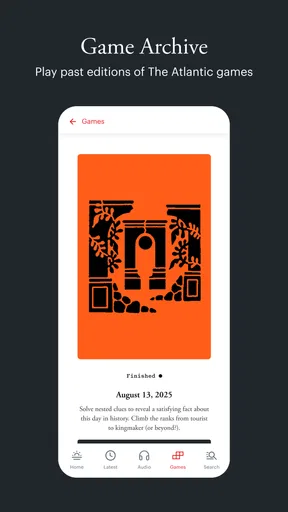
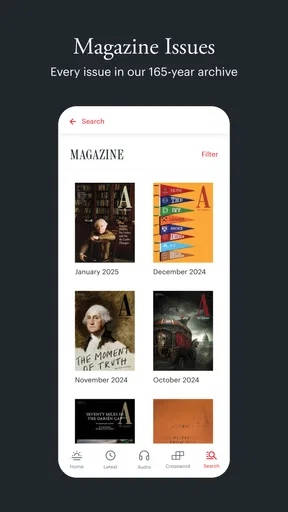
Our Review of The Atlantic
 Analysis by Appyee
I judge a news app not only by what it publishes, but by how well it fits into the small gaps in a real day: a few minutes before work, a longer ride home, or a quiet hour when I want to follow an issue beyond a headline. The Atlantic is aimed at readers who want more than a quick scan of breaking news. It brings politics, culture, and other subjects together in a reading-focused experience, and that makes it a better fit for considered reading than for checking dozens of brief updates.
What I expect from its pace
In a publication app, speed is less about racing through screens and more about getting from the opening page to a story without friction. My impression of the layout is that it favors clear entry points over a dense wall of headlines. That helps when I have a particular subject in mind, while the featured stories offer a way to browse when I do not. I would treat the app as a place to settle into an article, rather than as a live ticker that I keep refreshing for instant developments.
That distinction matters if you are deciding whether it can replace a general news feed. A feed is often more convenient for quick updates from many outlets; this app makes more sense when you want to spend time with the reporting and arguments from one publication. I would open it with a question or topic to explore, not expect it to be the fastest route to every breaking detail.
When reading gets demanding
The app’s longer pieces are where its format has the most value, but they also ask more from the reader and the device than a headline check does. I find it useful to separate browsing from reading: scan the available sections when I have a moment, then save a story for a time when I can give it proper attention. A bookmark is more than a convenience in that routine; it helps prevent an interesting article from turning into another open tab I forget about.
Offline reading can also make a deliberate reading session easier to plan. Before a trip or a stretch with unreliable internet, I would save stories while connected, then check that they are available before heading out. That is a practical habit for train rides and waiting rooms, though it does not make every part of the app independent of a connection. I would not assume that streaming media or freshly loaded material will behave like an already saved article.
Reliability and the limits of a single publication
For everyday use, I value a predictable path from browsing to reading: find something relevant, keep it for later, and return when I have time. The familiar article-focused structure supports that kind of routine. As with any app that depends on online content, I would keep the basic distinction in mind: saved reading is the safer choice when connectivity may drop, while discovery and current material are best approached when the connection is steady.
The bigger limitation is editorial range, not a complicated interface. The Atlantic covers a broad mix of subjects, but it remains one publication with its own selection and perspective. I would pair it with a wire service or a multi-source aggregator when I need a fast, wide view of a developing story. For depth, context, and a more sustained read, a publication-centered app can be the more satisfying choice.
Who will get the most from it
I think this app is strongest for readers who enjoy essays and reported features and are willing to make room for them. It is less compelling if you mainly want short alerts, a customizable stream assembled from many publishers, or a quick answer with no extra reading. A useful middle ground is to use it selectively: choose a story when its subject matters to you, rather than making it the only source you check throughout the day.
The Atlantic app is a free download in the News & Magazines category, published by The Atlantic Monthly Group LLC. Its average rating is 4.9 from around 4,500 ratings, and it has been installed over 100,000 times. It is rated for Everyone, while some subscription content can require an in-app purchase; the listed purchase range runs from $7.99 to $79.99 per item. I would check the subscription choices in the app before deciding what level of access makes sense for my reading habits.
For a realistic routine, I might browse a few stories over breakfast, bookmark one analysis I cannot finish, and download it before a commute where the signal is unreliable. Later, I can give that piece my attention instead of trying to read it in fragments between notifications. That workflow makes the app useful even if I do not open it constantly, and it avoids treating every story as something I must consume immediately.
First Impressions
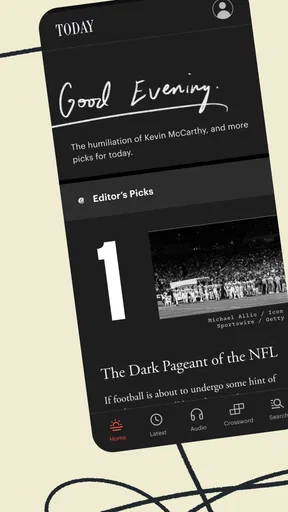
When you first open up the The Atlantic app, the clean, minimalistic design is the first thing that catches your eye. It’s like a breath of fresh air compared to some of the cluttered news apps out there. Everything feels well-organized, and it’s super easy to navigate. You can jump straight into the latest articles, explore various categories, or even check out some featured long reads.
Content Galore
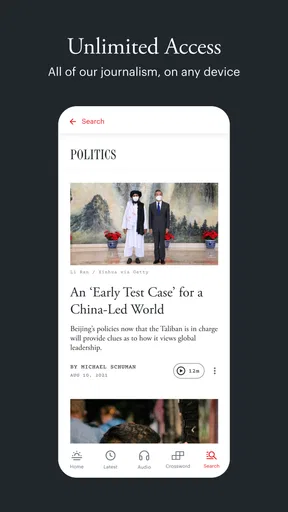
One of the things I love about The Atlantic is the sheer variety of content it offers. From politics and culture to science and technology, there’s something for everyone. The writers are top-notch, and the articles are insightful and thought-provoking. I found myself getting lost in some of the featured stories, which is a testament to the quality of the writing.
The app also offers podcasts and videos, which is a nice touch if you’re someone who likes to mix up your media consumption. Whether you're commuting, working out, or just lounging at home, there's always something to keep you engaged.
User Experience
Now, let's talk about the user experience. Navigating through the app is a breeze. The search function works like a charm, and you can easily bookmark articles to read later. I appreciate the personalized recommendations based on what I’ve read, which makes it easier to find new content that suits my interests.
Another standout feature is the offline reading mode. You can download articles to read offline, which is perfect for those times when you’re on a plane or in a location with spotty internet.
Subscription and Accessibility
The app offers a free tier, but if you’re a hardcore reader like me, the subscription is totally worth it. You get unlimited access to all articles, exclusive content, and a few other perks. Plus, supporting quality journalism is always a good cause, right?
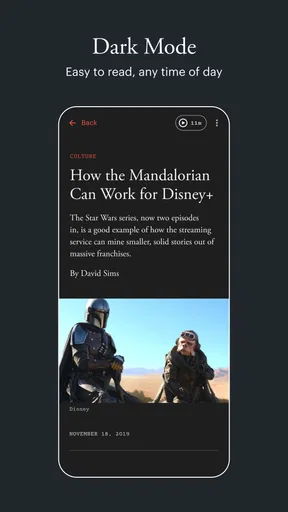
Accessibility-wise, the app does a decent job. The text resizing feature is helpful for those who prefer larger fonts, and the dark mode is a godsend for late-night reading sessions. However, I did notice that some of the videos don’t have subtitles, which could be a bummer for those who rely on them.
Performance on everyday devices
The app is available in version 2.7.2 and requires Android 7.0 or later. That minimum makes it reachable on a range of Android devices, but it does not tell me how it will feel on every handset. I would judge performance by the work I ask it to do: opening a text story is a lighter task than browsing and playing video, and a weak connection can make online content feel slow even when the app itself is behaving normally.
I would also avoid treating the word “offline” as a promise that every part of the experience works without preparation. Downloading articles ahead of time is the sensible choice for a flight or a commute through patchy coverage. If I plan to listen to a podcast or watch a video, I would do that while I have a stable connection rather than rely on it loading smoothly later. This is a small planning step, but it is more useful than discovering the limitation when I am already offline.
Keeping a reading routine manageable
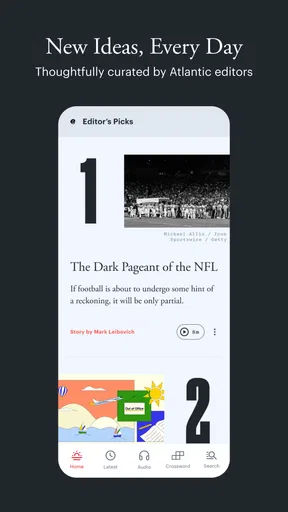
Personalized recommendations can help me discover a subject I might otherwise overlook, but I would not let them decide my entire reading diet. Recommendations are most useful as a prompt: if a suggested story looks relevant, I can follow it; if I am trying to understand a specific event, search and deliberate browsing are better starting points. Combining those habits makes the app feel less like an endless queue and more like a tool for choosing what deserves my attention.
For a busy reader, I would use bookmarks as a lightweight queue rather than save every appealing headline. A short list of pieces I genuinely intend to read is easier to return to than a backlog that grows without limit. Before a long trip, I would pick a few articles across different subjects and download them, instead of trying to preserve everything I have seen. That approach makes offline reading purposeful and reduces the chance that I spend my travel time sorting through a pile of saved stories.
There is also a practical trade-off between using one publication app and building a broader news habit. The Atlantic can give a reader a substantial place to explore its coverage, but if a story is unfolding quickly, I would compare its account with reporting from other sources. If I want a broad menu of publishers in one place, an aggregator is the more efficient choice. If I want fewer sources and more room to concentrate on an individual article, this app’s publication-specific approach is easier to live with.
Subscription decisions and accessibility in practice
The free download lowers the barrier to trying the app, but I would not assume that every article is included without payment. In-app purchases are listed from $7.99 to $79.99 per item, so I would look at the options presented in the app and match them to how often I actually read. Someone who opens it occasionally may be better off staying with the access available to them, while a regular reader can decide whether broader access is worth paying for. The right choice depends on use, not on the idea that every serious reader must subscribe.
For late-night reading, the dark mode and adjustable text size are helpful because they let me make the screen more comfortable for a long article. They do not remove every accessibility concern: the videos without subtitles I encountered can make some material less usable for people who rely on captions. If video accessibility is essential to you, I would not assume that every clip will meet that need. The text-based articles remain the safer format when captions matter.
It is also worth setting expectations about content variety. Politics and culture are central draws, and the app includes other subjects, but a reader looking for a specialist publication focused only on a narrow technical field may prefer a dedicated source. Likewise, someone who wants frequent notifications or a highly configurable, multi-outlet front page may find a general news app better suited to their habits. The Atlantic is at its best when its editorial selection is part of the appeal, rather than something you want to filter away.
My performance verdict
I would describe this as a reading app whose best performance comes from matching the task to the moment: browse while connected, save a story when I cannot finish it, and return to longer pieces when I can concentrate. I do not need it to behave like a live news terminal to find it useful. Its calm, article-led approach is a strength for focused reading, but it also means the experience is less suited to people who measure a news app by how many rapid updates it can surface.
Stability and resource use can vary with the device, connection, and whether I am loading text or media, so I would not promise the same smoothness on every phone. My practical advice is to keep the app current, use saved articles for unreliable connections, and treat video as the more demanding option. The current version is 2.7.2; the app has been available since August 31, 2021, and its strong 4.9 average across around 4,500 ratings suggests that many users value what it offers. Those figures are context, not a guarantee that it will suit every reading style.
All in all, I’d say The Atlantic app is a must-have for anyone who loves staying informed and enjoys high-quality journalism. It’s user-friendly, content-rich, and just a great way to consume news and stories on the go. So, if you haven’t already, give it a shot. You might just find your new favorite app.
Happy reading!
Privacy and Permissions
See what permissions an app requests and how it handles your data.
- Photos/Media/Files
- read the contents of your USB storage, modify or delete the contents of your USB storage
- Storage
- read the contents of your USB storage, modify or delete the contents of your USB storage
- Wi-Fi connection information
- view Wi-Fi connections
- Other
- view network connections, full network access, run at startup, control vibration, prevent device from sleeping
Verdict
Strengths of The Atlantic
- High-quality journalism and in-depth articles.
- User-friendly interface with easy navigation.
- Offline reading option available.
- Personalized content recommendations.
- Regular updates with current events.
Limitations of The Atlantic
- Requires subscription for full access.
- App can lag on older devices.
- Limited multimedia content.
- Occasional push notification overload.
- No dark mode option available.
Similar Picks in This Category
View All
Google News - Daily Headlines
Google LLC4.0

X
X Corp.4.8

Flipboard:Your Social Magazine
Flipboard3.4

Opera News: breaking & local
Opera4.5

Hindi News by Dainik Bhaskar
Dainik Bhaskar Group4.0

Way2News Daily News App
Way2News ( Formerly Way2SMS )4.6
Frequently Asked Questions
What features does The Atlantic app offer?
The Atlantic app provides users with access to a wide range of articles, covering topics such as politics, culture, technology, and more. It includes features like offline reading, audio articles, and personalized content recommendations. The app also offers a clean, user-friendly interface, making navigation and content discovery seamless.
Is a subscription required to use The Atlantic app?
While the app itself is free to download, a subscription is required to access unlimited articles and exclusive content. Users can explore a limited number of articles for free each month. Subscription options include monthly or annual plans, which provide full access to all The Atlantic's digital content.
Does The Atlantic app support offline reading?
Yes, The Atlantic app offers offline reading, allowing users to download articles and read them without an internet connection. This feature is particularly useful for those who want to save content for later or read while traveling. Simply save articles to your device, and access them anytime, anywhere.
How often is the content updated on The Atlantic app?
The Atlantic app is updated daily with new articles, ensuring users have access to the latest news and in-depth analyses. The editorial team provides timely updates on current events, as well as feature stories and opinion pieces. Users can also receive notifications for breaking news and trending topics.
Is The Atlantic app available on both Android and iOS?
Yes, The Atlantic app is available for download on both Android and iOS devices. Users can find it in the Google Play Store for Android and the App Store for iOS. The app is designed to provide a seamless reading experience across both platforms, with regular updates and support for new features.
